
Written by Mario Sanchez — Certified AMX Designer & Programmer, Savant Programmer + Installer, Harman Pro Audio Designer (AKG, BSS, Crown, dbx, JBL Pro). 15+ years serving The Woodlands, Spring, Atascocita, Kingwood, and Porter.
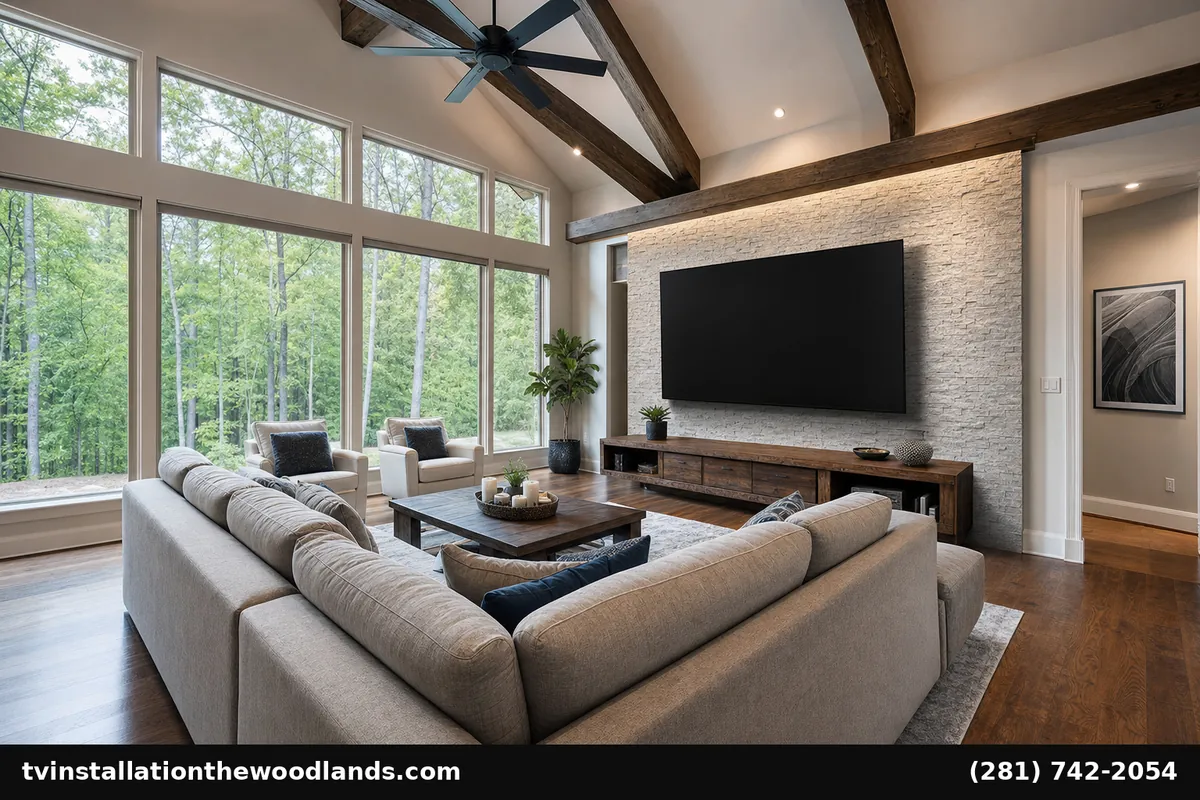
TVs keep getting bigger. The Woodlands homes — with their generous great rooms, dedicated bonus rooms, and high ceilings — are some of the best matches for 75”, 85”, 98”, and even 100”+ TVs. But large TVs are different installs. Heavier mounts, different wall load requirements, more careful sightline planning, and dramatically more visible if the cabling isn’t done right. This guide walks through what proper large TV installation The Woodlands service involves.
When Bigger Is Actually Better in The Woodlands
Related: best tv sizes texas living rooms · tv mounting cost the woodlands tx · tv on the wall · tv installation · home theater installation · contact us
Bigger TVs aren’t always right. The math:
-
75” TV — works at 8–11 feet of viewing distance. Fits most Woodlands family rooms.
-
85” TV — works at 10–13 feet. Great rooms and larger family rooms.
-
98” TV — works at 12–15 feet. Open great rooms in Carlton Woods, East Shore, and Indian Springs estates.
-
100” and up — 14+ feet of viewing distance. Bonus rooms or dedicated media spaces.
The Woodlands has a higher percentage of homes that can accommodate truly large TVs than most Houston-area neighborhoods, simply because the architecture supports it.
Why Sizing Matters: The Comfort Zone
A TV that’s too small for your room feels lost — wasted opportunity. A TV that’s too large feels overwhelming and forces neck-strain viewing. The visual sweet spot is when the screen fills 30–40 degrees of your field of vision from the primary seat. For a 75-inch TV, that’s about 8–11 feet. For a 98-inch TV, that’s about 12–15 feet.
Once you’ve watched a properly-sized TV in a properly-sized room, going back feels small.
The Mount: Where Large TV Installs Get Engineered
Standard residential mounts top out around 70 lbs. A 98” TV with its anti-glare panel can weigh 110–130 lbs. Add mount weight and you’re easily at 150 lbs of cantilever load on the wall. Mount selection matters more than for a 55” install.
For 75”–98”+ TVs we install Chief commercial-grade mounts. The Fusion series (FCA-, LSM-, LDM-) handles up to 175 lbs, with engineered VESA patterns matched to large displays and integrated cable management channels designed for the larger cable bundles big TVs require.
The mount-to-wall interface also changes for big TVs:
-
Single-stud-mounted — never acceptable for 75”+. We always span at least two studs.
-
Wood mounting board — a solid 3/4” plywood board lag-bolted to multiple studs, then mount attached to the board. Distributes load across more of the wall, allows mount placement to be optimized independent of stud spacing.
-
Engineered metal stud / commercial walls — some Woodlands newer luxury builds have steel-stud framing in select walls. Toggle hardware or in-wall blocking needs to be specified differently.
The Display: Samsung Leads in 75”+
Samsung dominates the very-large TV market for good reasons. Their Neo QLED line offers 85”, 98”, and 110” sizes (with the larger Samsung 115” / 116” getting attention in 2026). The picture quality holds up at scale, the anti-glare matte panel handles bright Woodlands great rooms with floor-to-ceiling windows, and Samsung’s One Connect Box solution (on Frame and S95-class models) lets you run a single ultra-thin cable from TV to the components closet — a huge plus for clean installs.
For dedicated media rooms with light control, the Samsung S95F OLED line is the premium choice. For bright great rooms, the Neo QLED QN90F/QN95F handle ambient light better than competing OLEDs.
Cable Management at Scale
The bigger the TV, the more obvious any cable mismanagement. The standard Woodlands large-TV install includes:
-
Recessed power outlet behind TV at mount height.
-
In-wall conduit from TV to a low cabinet or media closet location.
-
If using Samsung One Connect: a single fiber-optic One Connect cable runs through the conduit; all sources live in the closet.
-
If multi-input directly to TV: HDMI 2.1 cables, ethernet, and (optional) optical audio in the same conduit.
Logistics for Large TV Delivery and Install
A 98” TV weighs ~120 lbs and ships in a box that won’t fit through a typical Woodlands front door without removing it from the box. We coordinate:
-
Two-person delivery to the install location.
-
Unboxing in driveway or garage to avoid damaging walls.
-
Two-person lift to mount — never a one-person job for 75”+.
-
Foam pad protection on walls along delivery path.
-
Old TV removal and recycling if requested.
Sound: Bigger TV, Better Audio
A 98-inch TV deserves more than the bar built into it. Most large-TV installs in The Woodlands include either:
-
Premium soundbar with sub — Sonos Arc Ultra + Sub Mini, or Bose Smart Ultra system. Good entry into proper audio.
-
5.1.4 or 7.1.4 Atmos receiver setup — for dedicated media rooms or great rooms used heavily for movies and sports.
We tune the audio system specifically for the room dimensions and the TV’s location during commissioning.
What’s Included in a Woodlands Large TV Install
-
Pre-install consultation — TV size confirmation, mount selection, sound planning.
-
Delivery coordination.
-
Wall preparation — verify studs, install mounting board if needed.
-
Chief commercial mount installation.
-
TV unboxing and mounting (two-person).
-
Cable concealment in-wall, recessed outlet behind TV.
-
Source device setup or central media closet hookup.
-
Sound system installation and tuning.
-
Family training and walkthrough.
Standard 75”–85” large TV install: $499–$899. 98”+ install with One Connect and clean media closet wiring: $999–$1,899.
Woodlands-Specific Notes
Carlton Woods estates often have great rooms over 25 feet across with vaulted ceilings — these are the homes where a 98” or 110” TV actually fits the architecture. East Shore and Indian Springs newer luxury builds often pre-wire for large TV installations during construction. Standard Woodlands neighborhoods (Grogan’s Mill, Cochran’s Crossing, Panther Creek) have rooms typically sized for 75”–85” sweet spot installs.
Frequently Asked Questions
What’s the largest TV that makes sense in a Woodlands great room?
Depends on viewing distance and room scale. For most Woodlands great rooms 75”–85” is the sweet spot. Larger rooms (Carlton Woods, East Shore) support 98”+.
Will my wall hold a 98-inch TV?
If properly anchored to multiple studs with the right mount, yes — modern construction handles the load easily. Single drywall anchors will not hold it; that’s where bad installs fail.
Can you install a Samsung Frame in larger sizes?
Yes — the Samsung Frame goes up to 85” in 2026. Mount is the proprietary Samsung No-Gap wall mount for that flush-to-wall art look.
How heavy is a 98-inch TV?
Roughly 110–135 lbs depending on model. Mount and bracket together are another 15–25 lbs. We never do these installs solo.
Do I need a media closet for a large TV install?
Not required, but recommended. A media closet keeps source devices out of sight and runs a single One Connect or HDMI bundle to the TV for the cleanest install.
How long does a large TV installation take in The Woodlands?
Most large-TV installs are 3–5 hours on site. Adding media closet wiring or sound system installation extends to a full day.
Schedule Your Large TV Installation
From a 75” in a Cochran’s Crossing family room to a 98” in a Carlton Woods great room, large TV installation The Woodlands service starts at $499. Call (281) 742-2054 or visit our Google Business Profile. 24-hour scheduling available.